Mac Setup

Open System Settings.
A notification shows up, asking you to review the profile before installation. Open System Settings by clicking the icon in the Dock. In System Settings, go to General > Device Management.
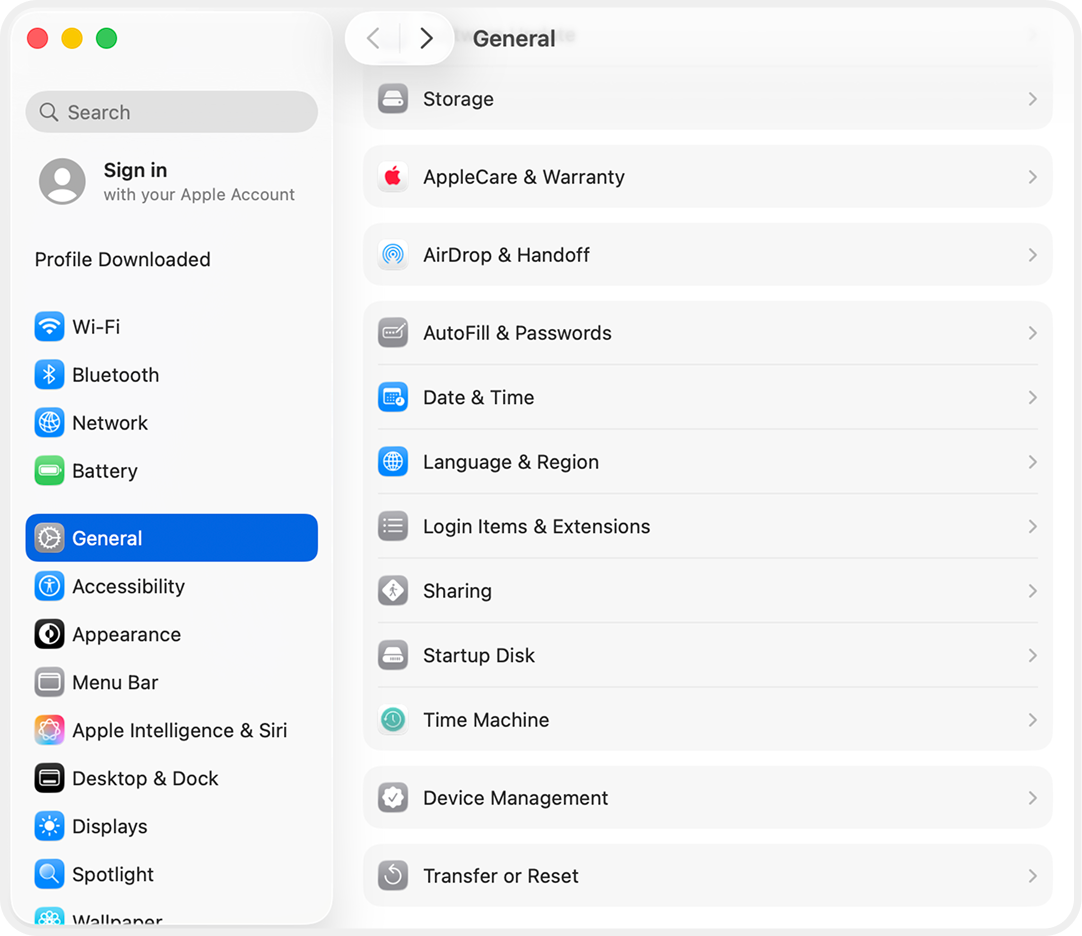
A notification shows up, asking you to review the profile before installation. Open System Settings by clicking the icon in the Dock. In System Settings, go to General > Device Management.